

Benjamin Franklin

A plugin brand by

Benjamin Franklin

FREE

3 free audio plugins. No subscription. No account. Just sound that goes completely nuts (but in time).

Plug de fou SlowMo Boom

VST3 + AU on Mac (Apple Silicon M1 → M5 and Intel, macOS 12+) · VST3 on Windows 10/11 64-bit

New

All 3 plugins — one installer

Plug de fou + SlowMo + Boom in one go, neatly filed in a “Benjamin Franklin” folder. Tick the ones you want, click Install, done.

Follow @benjaminfranklinmusic on Instagram to unlock

That's the only price: a follow. In exchange, every plugin is yours. Free, forever.

Unlocked! Thanks for the follow ♥

Mac Apple SiliconM1, M2, M3, M4, M5 · .dmg · 28.2 MB Mac Intel.dmg · 28.2 MB · same file Windows 10 / 1164 bits · .exe · 8.9 MB

Which Mac do I have? Apple menu > About This Mac: “Chip” = Apple Silicon, “Processor … Intel” = Intel.
Prefer just one? Each plugin has its own download below.

Works in

Logic ProGarageBandAbleton LiveCubaseNuendoFL StudioStudio OneBitwigReaper

VST3 on Mac and Windows · AU on Mac (Logic Pro, GarageBand, Ableton Live)

#01

Plug de fou

The glitch that loses its mind. In time.

EffectVST3AUInsert it on an audio track

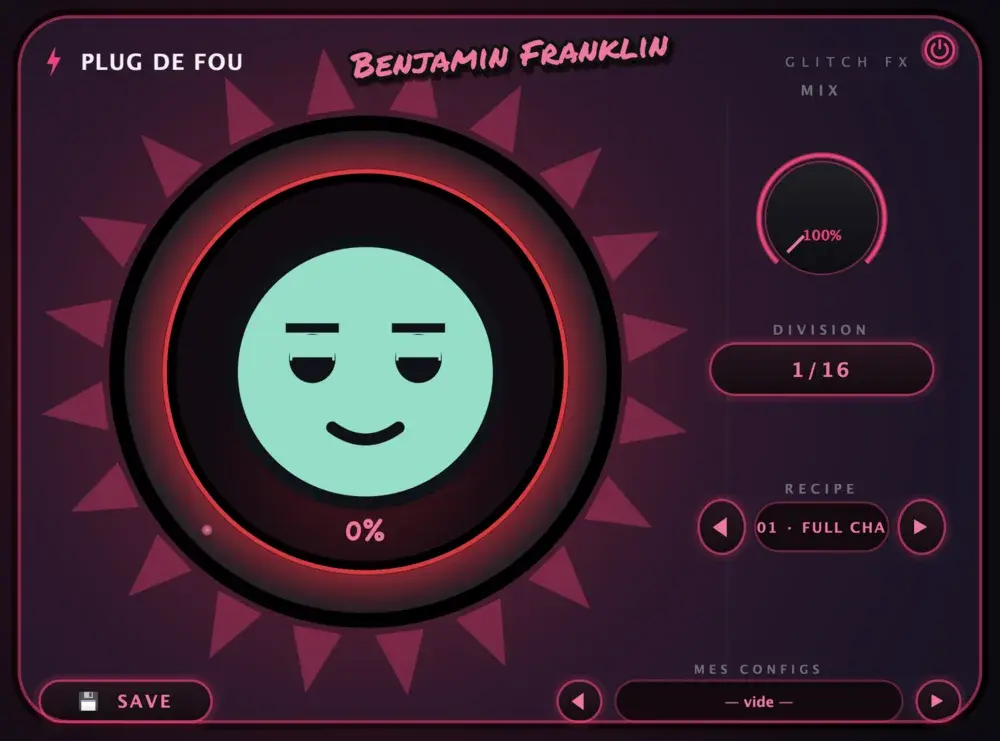
Six chaos machines locked to your track's tempo: stutter, bitcrush, tape stop, reverse, gate and pitch glitch. Turn the big CHAOS knob and GLITCH-O, the mascot, starts to panic. The more he sweats, the crazier it gets.

  • 20 recipes ready to go in one second
  • DIVISION from 1/4 to 1/32: from gentle chopping to total mayhem
  • MIX to dose the disaster
  • Save your own configs and get your favourite chaos back
100% FREE

Which Mac do I have? Apple menu > About This Mac: “Chip” = Apple Silicon, “Processor … Intel” = Intel.

Plug de fou
SlowMo

#02

SlowMo!

Action-movie slow motion. Without the demon voice.

EffectVST3AUInsert it on an audio track

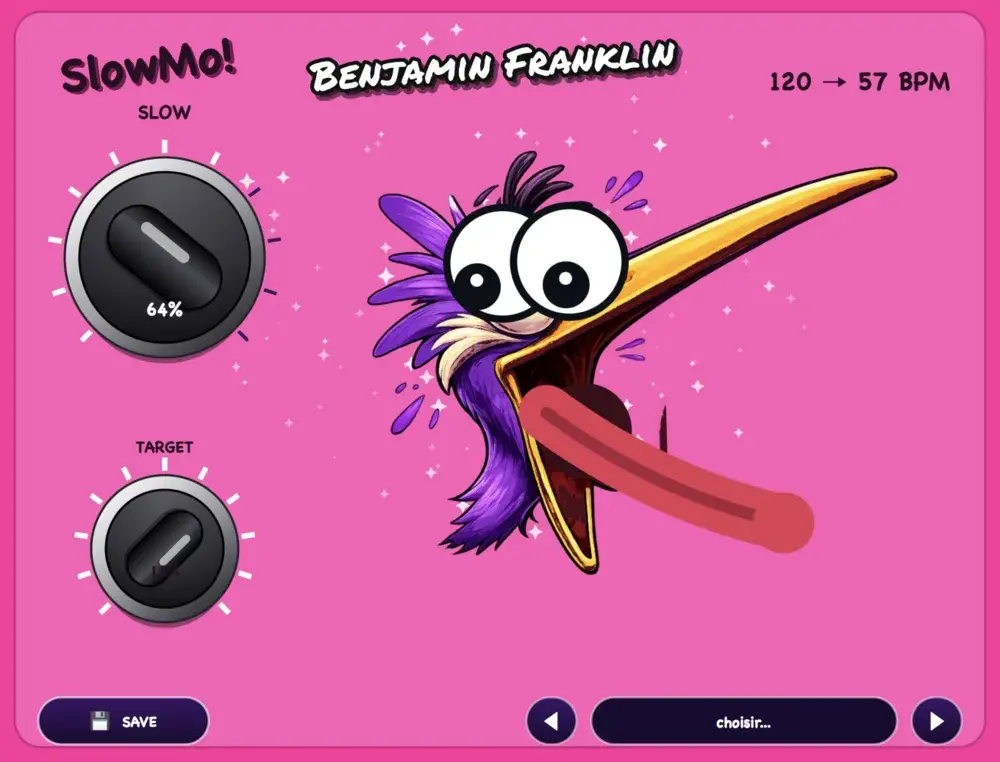
Want to slow the whole track down in the break, then slam the drop at full speed? SlowMo slows the sound down without changing its pitch (time-stretch). No voice dropping into the basement, no hoarse duck. Just a clean slow-mo, and a purple bird losing its mind.

  • 2 knobs, that's it: SLOW and TARGET
  • Live tempo display: 120 → 57 BPM
  • Perfect for breaks, intros and fake endings
  • Back to tempo on the drop, like nothing happened
100% FREE

Which Mac do I have? Apple menu > About This Mac: “Chip” = Apple Silicon, “Processor … Intel” = Intel.

#03

Boom!

The mad scientist of drops.

InstrumentVST3AULoad it on an instrument / MIDI track

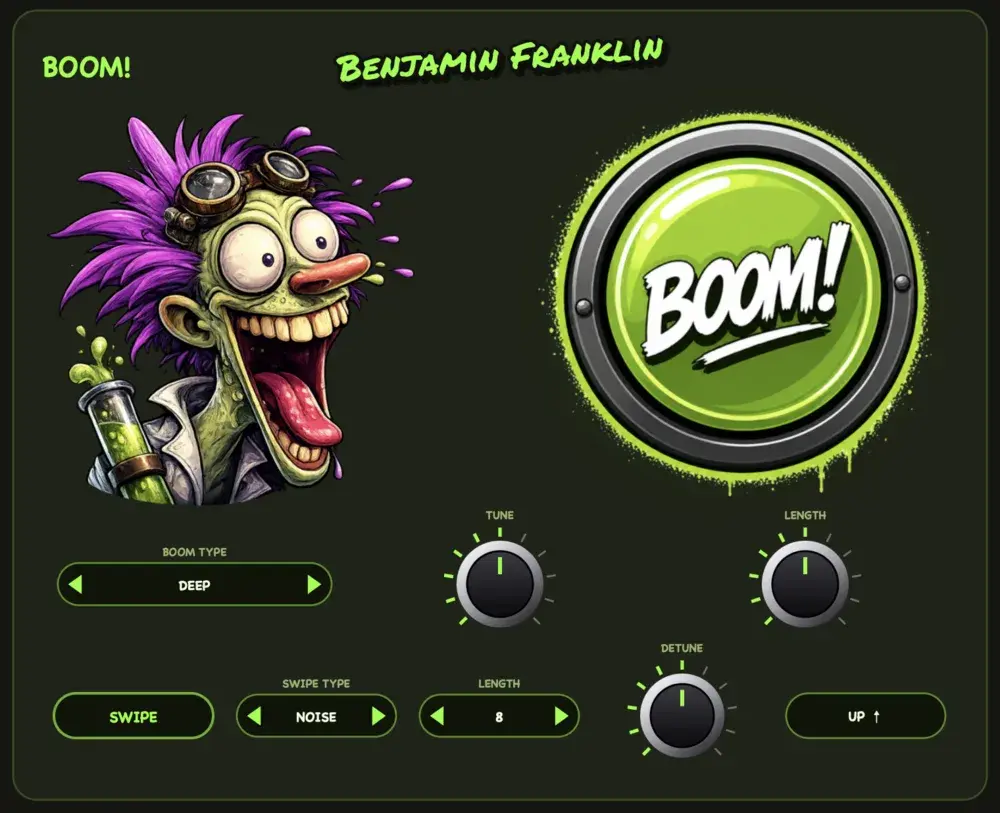
Boom builds your drop impacts: sub boom, downlifter, uplifter. And because the sound is generated (not a stretched sample), it stays clean up to 128 bars, locked to your tempo. Riser samples never go that long and sound like a saucepan once stretched. Boom doesn't break.

  • A big BOOM! button (yes, you press it)
  • Tweakable sub boom: type, tune, length, detune
  • Rising or falling swipe, from 1 to 128 bars
  • Always in sync with your project's tempo

Boom is an instrument, not an effect. You won't find it among the insert effects: create an instrument track and pick Benjamin Franklin › Boom. In Cubase: Project › Add Track › Instrument. In Ableton: Instruments. In Logic: Software Instrument › AU Instruments.

100% FREE

Which Mac do I have? Apple menu > About This Mac: “Chip” = Apple Silicon, “Processor … Intel” = Intel.

Boom
Benjamin Franklin That's him!

Who is Benjamin Franklin?

(Not the guy on the 100-dollar bill. The other one.)

A Parisian DJ and producer, Benjamin Franklin has been moving house dancefloors for over 20 years. He grew up in the legendary clubs of the 90s (Les Bains Douches, La Locomotive, Le Queen) and forged a sound of his own, blending house, soul and Latin rhythms.

His “Who The Fuck Is Benjamin Franklin?” parties set dancefloors on fire from Paris to Miami via Buenos Aires. Signed to MIYU Records, he has released tracks like “This Is My House”, “Chupa Sin Mano” and “THIS SOUND”.

Then one day he thought: “The tools I need in the studio, I'll build them myself.” So he created his own plugin brand… and decided to give them away to every producer. For free. No catch. Because music is meant to be shared.

Install in 30 seconds

Promise, it's easier than tuning a kick.

  1. Download the plugin's .dmg and open it (double-click).
  2. In Finder, press ⌘ + ⇧ + G and type ~/Library/Audio/Plug-Ins/
  3. Drag the .vst3 file into the VST3 folder, and the .component file into the Components folder.
  4. Restart your music software (Logic, Ableton, FL Studio…). Done!

The plugins are notarized by Apple: no security warning. Logic and GarageBand use the AU version (.component), everything else uses VST3.

  1. Download the plugin's .exe installer and run it.
  2. Windows may show “Windows protected your PC”: click More info → Run anyway.
  3. Click Next all the way. The plugin installs itself into C:\Program Files\Common Files\VST3.
  4. Restart your music software (Ableton, FL Studio, Cubase, Reaper…). Done!

Why the warning? The installer isn't digitally signed yet (it costs a fortune). The file is safe: it comes straight from here.

FAQ

Is it really free?

Yes. No subscription, no account, no email to hand over, no hidden “pro” version. Download, produce.

Can I use them in commercial tracks?

Yes. Use them on anything you release, sell or stream — no royalties, no credit required, no restrictions. (A shout-out is always appreciated!)

Which DAWs does it work in?

Logic Pro and GarageBand (Mac, AU), plus Ableton Live, Cubase, Nuendo, FL Studio, Studio One, Bitwig and Reaper (Mac and Windows, VST3; Ableton also in AU on Mac). Plug de fou and SlowMo are effects (insert them on an audio track); Boom is an instrument (load it on an instrument / MIDI track). Pro Tools? Not yet — it needs the AAX format.

Does it run on my M4 / M5 Mac?

Yes: Apple Silicon (M1 to M5) and Intel Macs, macOS 12 and up.

What about Linux? iPad?

Not for now. Mac and Windows only.